



PURCHASING AND E-COMMERCE MANAGER
As the use of internet has been constantly expanding since 1995, the e-commerce systems that can quickly respond to consumer needs have emerged as one of the main conveniences of the digital world. Following this trend, Ozdisan Elektronik keeps on showcasing all the brands and products in its inventory via its www.ozdisan.com online shopping site. There are several practical searching and filtering functions on the website to ensure that all product groups can be conveniently displayed and the users can select and add the products they want into their cart.
Product Search by Categories
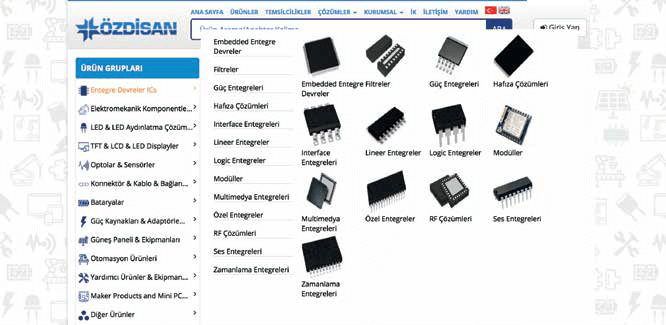
When users come to the homepage, they see the product categories and the product search bar. On the website, which has a three-stage categorization structure, the user can make a choice between the results that are displayed by manually searching the product categories on the left side, or by entering a keyword or a manufacturer code related to the product in the search bar. Also, with the “Smart Filter” function on the website, users can easily access the products with the features they are looking for, even if they do not know the manufacturer codes of these products.
Using the Search Bar
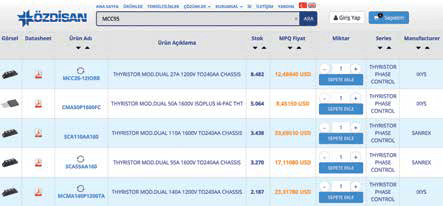
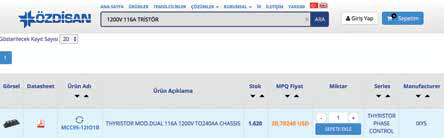
The search bar on ozdisan.com makes it possible to search by “manufacturer code” of a product or the “technical specifications” of the product. For instance, the “THYRISTOR MOD.DUAL 116A 1200V TO240AA CHASSIS” with “MCC95-12IO1B” code can be reached by typing “MCC95” or “MCC95-12IO1B” in the search bar or just typing the “1200V 116A TRISTOR” keyword.
“With the “Smart Filter” function on the website, users can easily access the products with the features they are looking for, even if they do not know the manufacturer codes of these products.”
Smart Filters
Also, with the “Smart Filter” system on ozdisan.com website, the users can directly go to a category page and easily access several alternatives by filtering certain technical characteristics of a product that they do not know the manufacturer’s code of, and complete their orders by adding the product that is most suitable for them into their cart. In addition, the users can go to a product’s page, click on the boxes next to the product’s technical specifications and click on the “filter” button to view all the products in that category that have the same features. On ozdisan.com, there are also “equivalent products”, “similar products” and “co-used products” options are available for some products. These functions help users to evaluate alternatives in product selection.

